
Practicing on a platform that doesn't match the real exam creates exam-day shock. CertFlow PRO mirrors the Pearson VUE format, timing and question style.
Hello fellow project managers,
If you're reading this, I believe you're embarking on the journey to earn your PMP certification — a journey I've personally been through and know firsthand just how challenging and costly it can be.
As a Project Manager who has "survived" and successfully passed the PMP, I came to understand one hard truth: Mastering the knowledge is one thing, but managing the pressure inside the exam room is another. Many candidates study diligently, yet when they sit down at a real Pearson VUE center, they're overwhelmed by the interface, time pressure, and strict procedures — resulting in a score that doesn't reflect their preparation.
That's why I invested time in developing CertflowPro — a platform that simulates the PMP exam experience with 99% accuracy at minimal cost (just enough to keep the server running), with one sole purpose: Help you pass the PMP on your first attempt!
Below is a detailed guide on how to use this "secret weapon" to walk into your exam with confidence.
1. Why Is CertflowPro Different from the Rest?
Before diving into the guide, let's look at what pain points this platform solves for you:
- Authentic Pearson VUE interface: The interface is designed to closely mirror the actual PMI exam screen. You'll become familiar with the color scheme, font, and button layout so nothing catches you off guard on exam day.
- Real-time workflow and time pressure: * Full exam time tracked (240 minutes for 180 questions).
Divided into 3 sections (60 questions each).
- Strict exam room rules: Once you submit a section, you CANNOT go back or review it. The platform includes a "Review Questions" feature before submission and timed break periods between sections — just like the real exam.
- Content aligned with the latest ECO: A diverse question bank covering Mini Tests (quick review), Mock Tests (practice exams), Full Tests, and Hall Exams (high-difficulty questions).
2. Step-by-Step Guide to Exam-Sim Practice on the Platform
For maximum effectiveness, follow this 5-step pathway:
Step 1: Create an Account and Start with Mini Tests
Go to: https://certflowpro.com/ and click Register.
When you're just starting, don't rush into a Full Test. Choose Mini Tests to review knowledge by Domain (People, Process, Business Environment) or by methodology (Predictive, Agile, Hybrid).
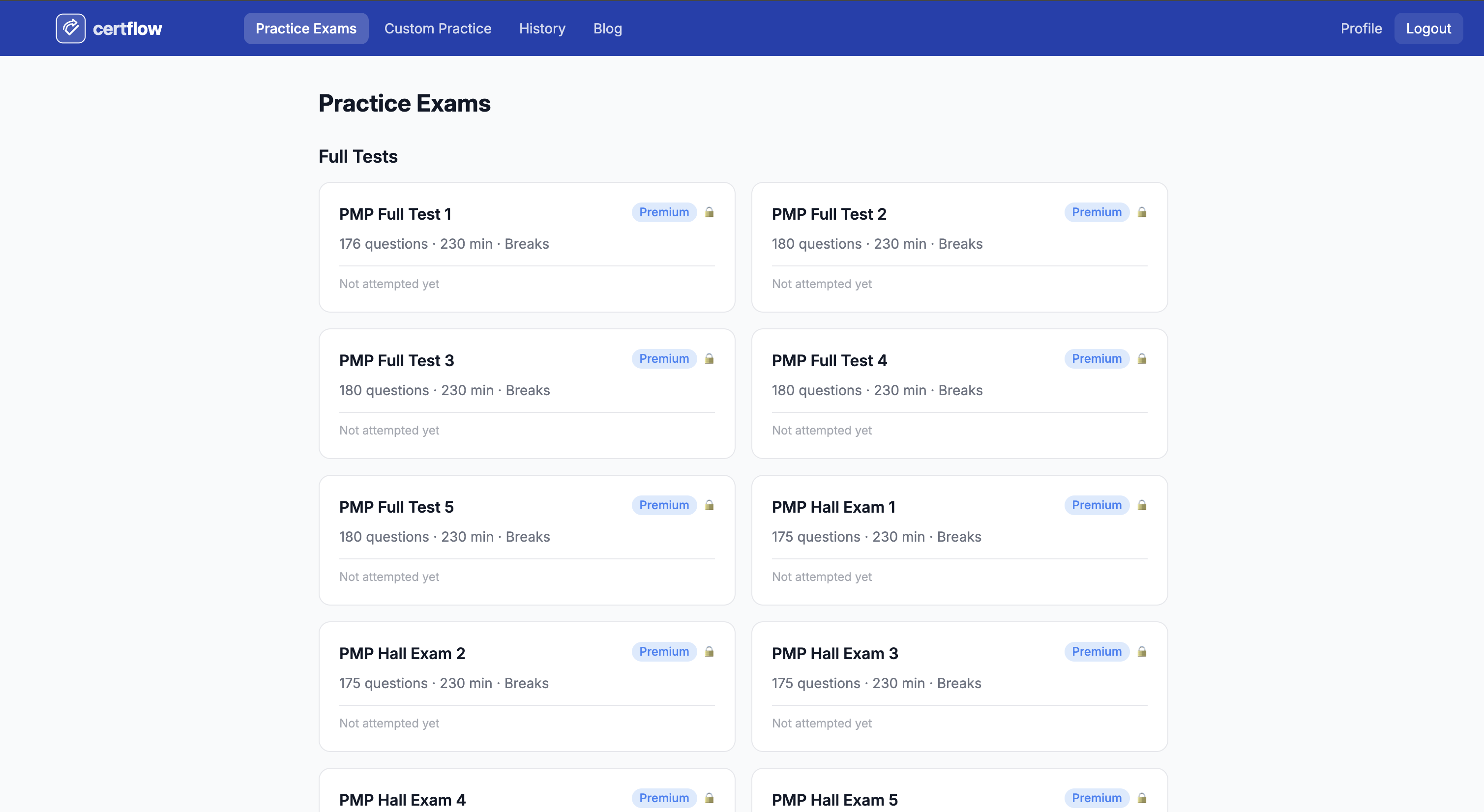
Step 2: Enter the "Practice Exam Room" with a Full Test (100% Simulation)
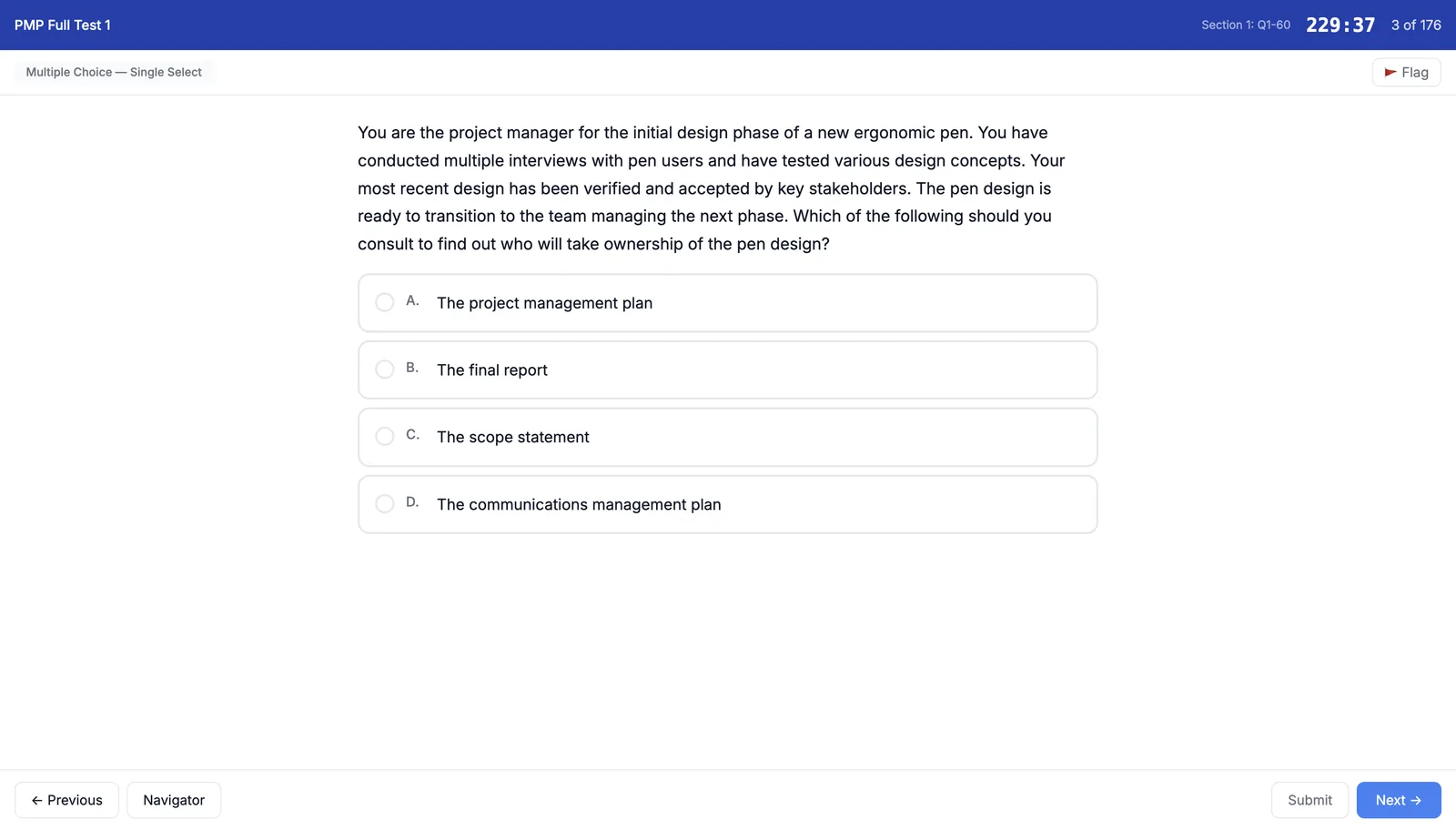
Once you feel confident in your knowledge, select Full Test.
Important note: Choose a quiet space and prepare yourself mentally to sit continuously for nearly 4 hours.
The system will begin counting down. Make use of the Flag for Review feature for questions you're unsure about.
Step 3: Experience the Break Time Procedure
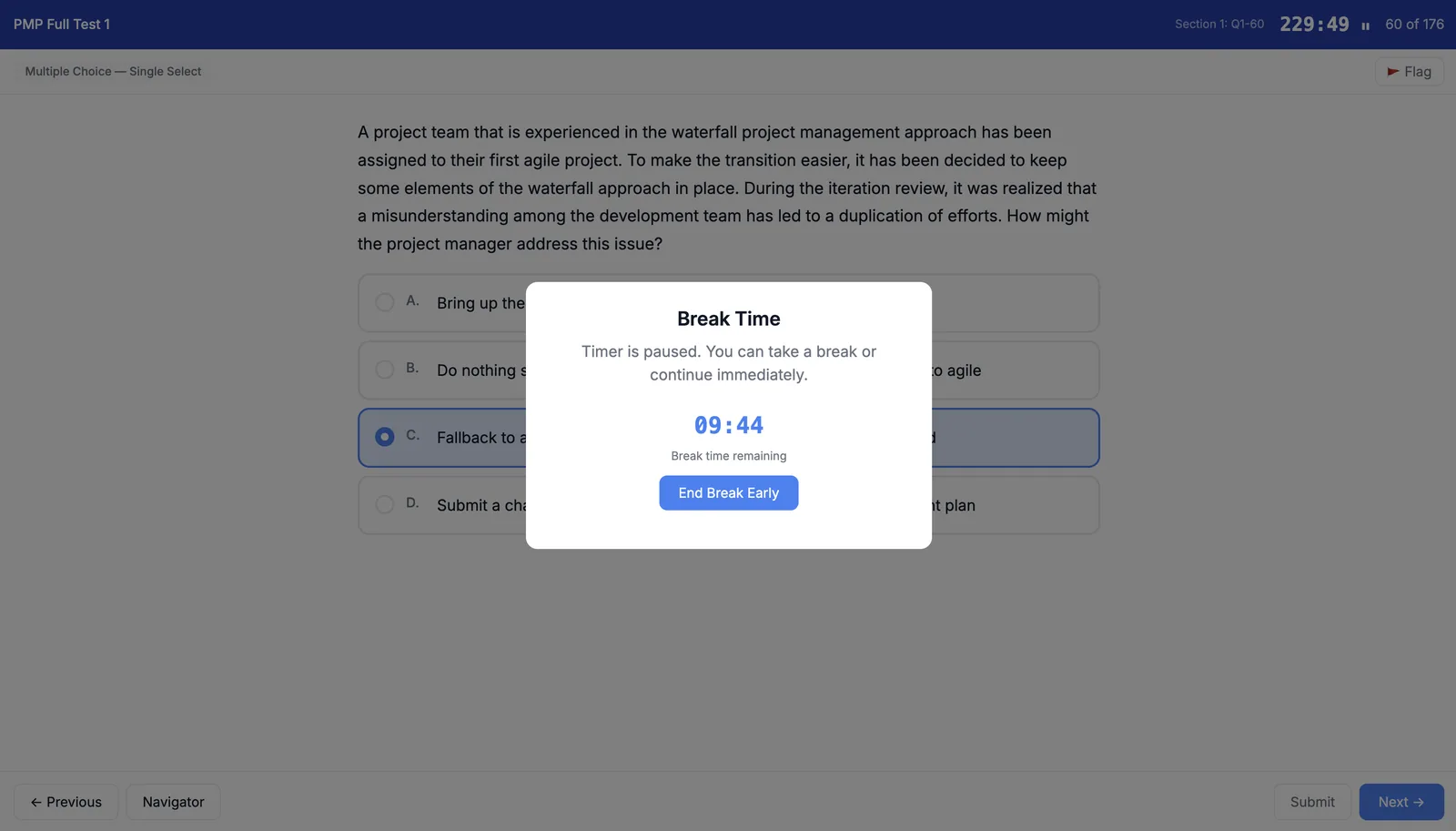
After completing the first 60 questions and submitting Section 1, the system will activate Break Time mode. You have 10 minutes to rest before moving to the next section. You may start the next section before the 10 minutes are up, but note that any time after the 10-minute break starts counting toward your next section's timer.
Stand up, stretch, and get some water — just as you would at the real testing center — to recharge your energy for the remaining two sections.
Step 4: Analyze Your Results
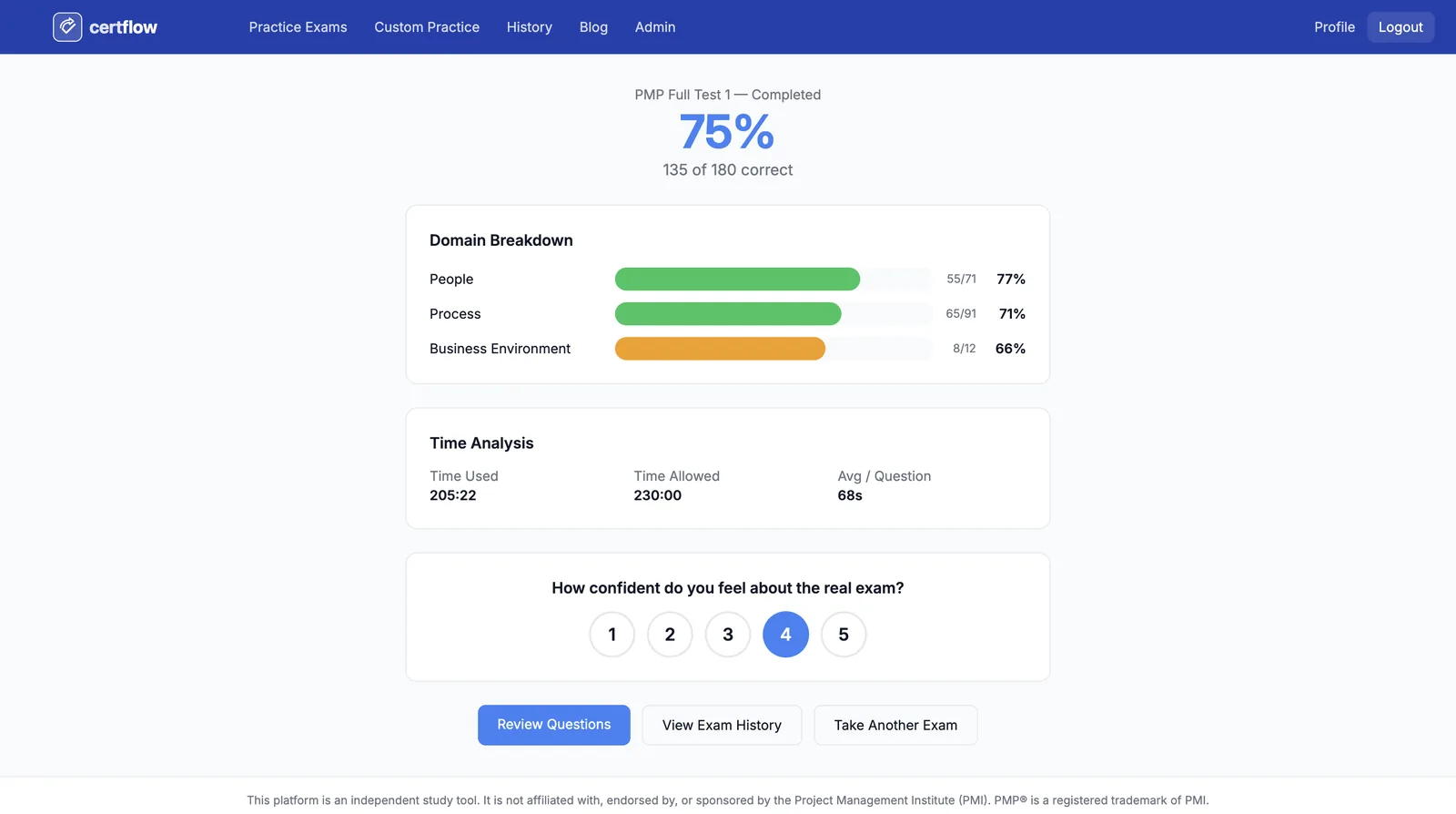
After completing all 180 questions and submitting the exam, the system will return a detailed performance analysis report.
Step 5: Review the "Review Questions" Section
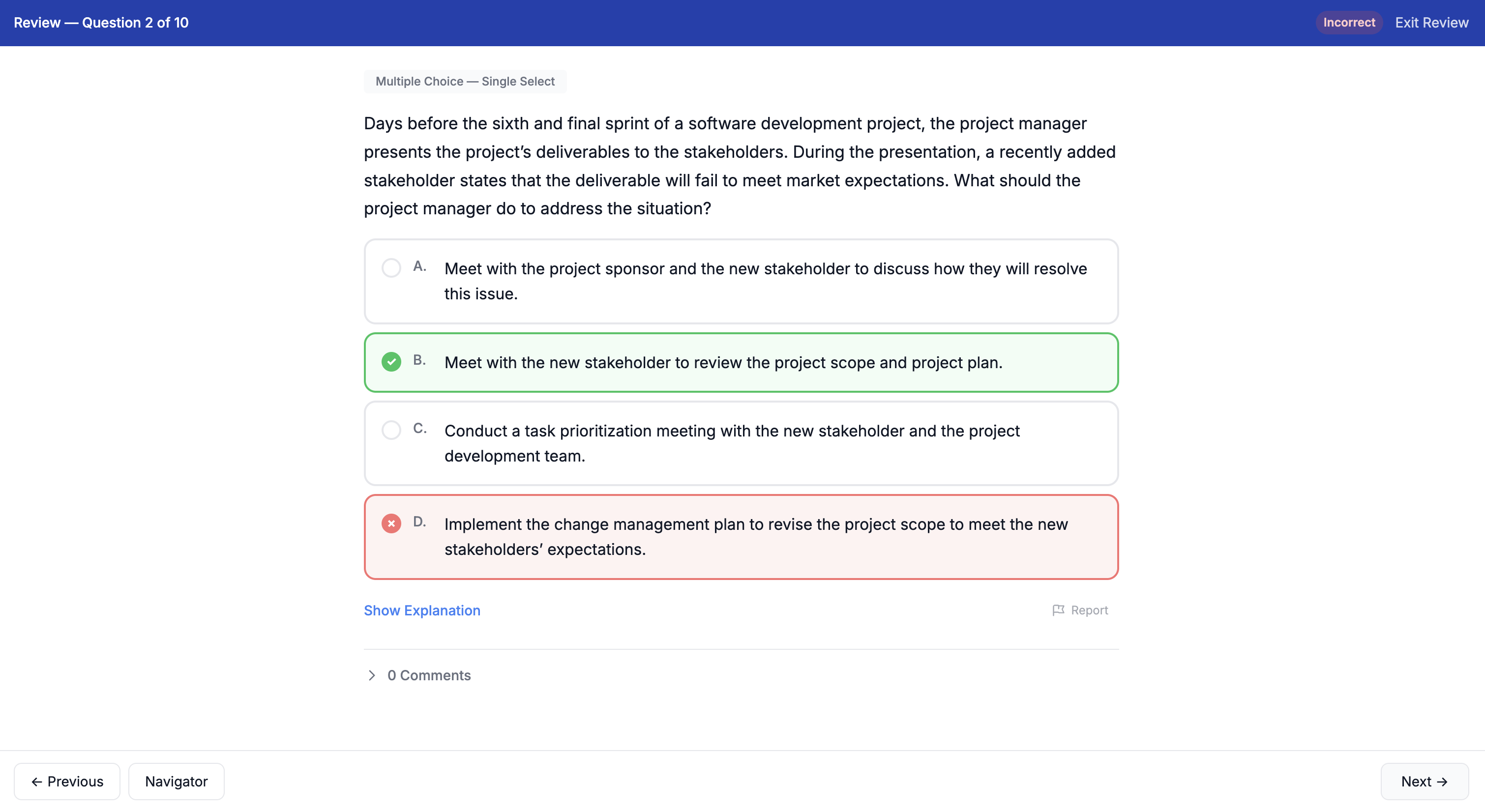
This section lets you review your answer for each question along with an explanation of the correct answer. You can also add a comment to express your own perspective on the result.
3. Additional Useful Features
There are many AI-powered features that analyze your performance and provide personalized suggestions.
One especially valuable feature that helps you accelerate improvement in your weaker domains:
- "Custom Test" Feature Tailored to Your Needs
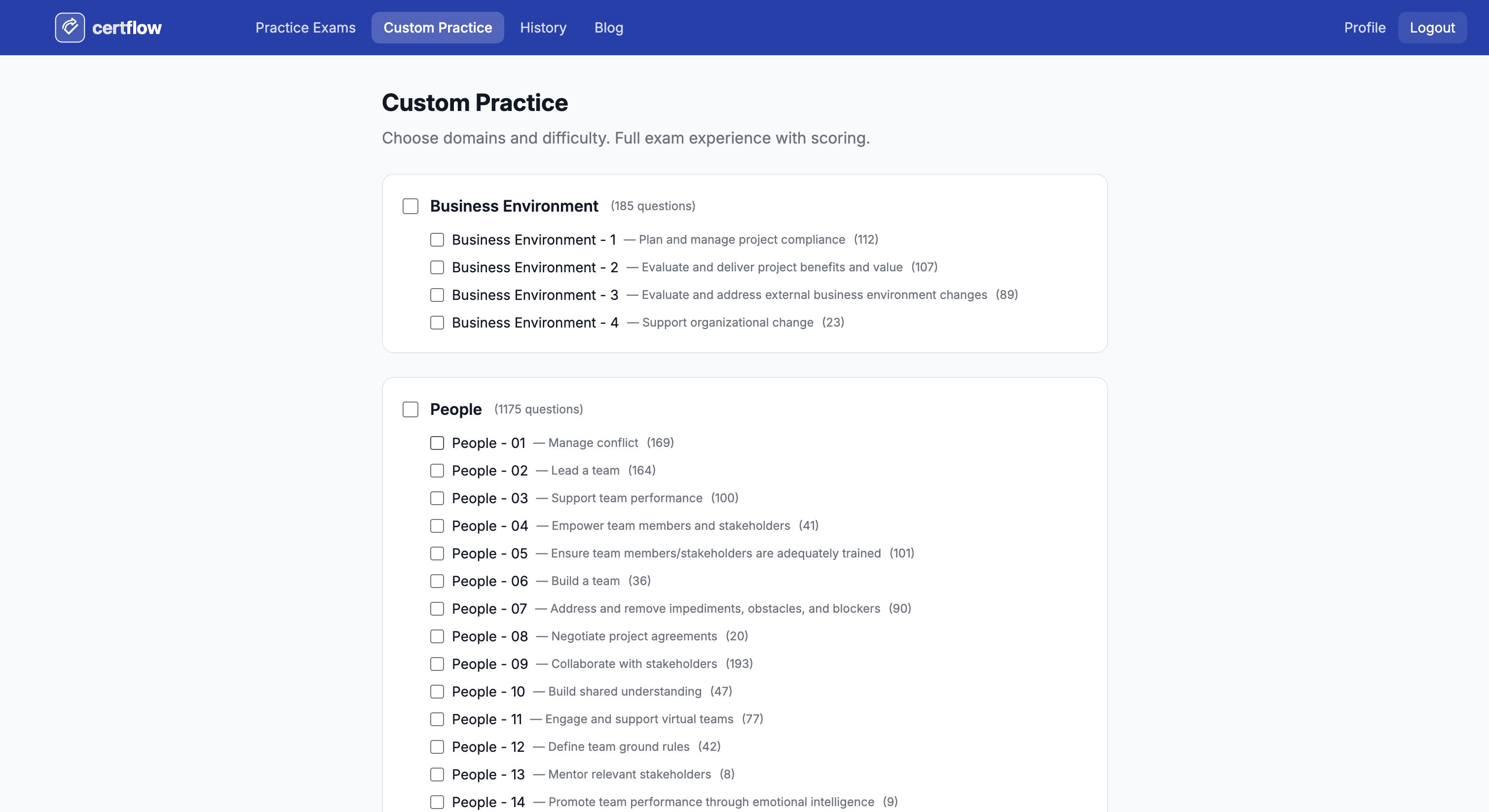
Another feature I'm particularly proud of building into this tool is the Custom Test functionality. As you practice, you'll inevitably identify gaps in your knowledge — for example, you might find you're weak in the People Domain, not confident with Risk Management tasks, or unsure about the distinction between Agile and Hybrid.Instead of retaking an entire 180-question Full Test (which takes a huge amount of time), you can proactively:
- Select specific Domains or Tasks where you're weak and focus your practice precisely where it's needed.
- Configure the number of questions based on how much time you have available (for example, squeezing in a quick 15–20 questions during your lunch break).
- Set your own time limit to create targeted speed pressure (for example, challenging yourself to answer 30 questions in 30 minutes).
🚀 Register and Get Started Today!
Don't let unfamiliarity with the exam environment cost you your shot. Practice until the pressure feels routine.
👉 Create a free account and start your first test right here: https://certflowpro.com/register
If you have any feedback on the interface or the questions, feel free to reach out. Wishing you a productive study journey and may you soon see the word "CONGRATULATIONS!" from PMI!
Frequently Asked Questions (FAQ)
How is CertflowPro different from other PMP practice platforms?
CertflowPro is built specifically for the Vietnamese market: answer explanations in Vietnamese, analysis aligned to the 3 domains (People/Process/Business) of the 2026 ECO, and performance reports broken down by topic so you know exactly where your weak spots are. The interface simulates Pearson VUE — same layout, countdown timer, and review functionality — so you get comfortable with the real exam experience.
What is the most effective practice strategy on CertflowPro?
Three phases: (1) Topic mode — practice by domain/topic immediately after studying the theory; (2) Mixed mode — random questions from multiple topics to test cross-domain thinking; (3) Timed mock exam — a full 180 questions with the clock running to build familiarity with pressure. After each session: check your performance report, identify weak topics, and go back to review materials for any topic below 65%.
How many questions should I do each day to prepare for the PMP effectively?
Recommended by timeline: 3–4 months before exam: 30–40 questions/day by topic. 1–2 months before exam: 60–80 questions/day in mixed mode. 2–3 weeks before exam: 1–2 full mock exams per week plus intensive review. Avoid rushing through 200+ questions per day — quality of review matters more than quantity. Spend at least as much time reviewing as you do answering questions, so you truly understand the explanations.
Now that you understand PMP exam preparation on CertflowPro, it's time to put it into practice with real exam questions.
Try Free PMP Practice Questions →
Official References: